

Most people leak money on subscriptions not because they’re reckless, but because the system is designed to be opaque. The good news: сutting that leak is mostly about installing a few simple “processes” in your daily digital routine rather than giving up every service you enjoy.
Step 1. Build a Single Source of Truth for All Subscriptions

Start with an inventory. Without a unified registry you’ll always underestimate your spending. Open your bank and card statements for the last 12 months and extract every recurring charge: streaming, cloud storage, VPN, fitness, newsletters, apps, game passes, SaaS tools. Put them into a plain spreadsheet with fields: service name, billing date, billing cycle, amount, currency, and who uses it in your household. This is your subscription ledger. For digital natives it’s tempting to rely fully on automation, but a first manual pass increases awareness and exposes dormant subscriptions that even algorithms miss, especially annual plans renewed long ago. Treat this like a lightweight financial audit, not a chore.
Most people stop at the spreadsheet and never keep it updated. That’s a mistake. To avoid that, set a recurring calendar event: once a month, spend ten minutes reconciling the ledger with your latest statements. Newbie tip: if this feels overkill, do it only after big events such as Black Friday, moving to a new city, or changing jobs. Those are peak times for new sign‑ups and free trials that silently convert into charges.
Step 2. Deploy Subscription Management Apps (But Don’t Outsource Your Brain)
Now you can add automation. The best subscription management apps connect to your bank or email inbox, parse recurring transactions, and generate a dashboard with upcoming charges, price increases, and trials about to expire. Think of them as monitoring agents, not decision-makers. Evaluate tools by three metrics: data access (which banks and currencies they support), transparency (clear detection rules, export functions), and control (ability to flag false positives or hide employer‑reimbursed services). These tools are powerful for how to save money on subscriptions, especially when you maintain multiple cards or accounts across countries, where manual tracking would quickly become error‑prone and time‑consuming.
A common pitfall is giving an app permission to “cancel for you” and then never checking if it actually did. New users often assume automation is flawless. Always verify: after triggering a cancellation in an app, log into the original service, confirm status, and screenshot the confirmation. If an app looks like a black box, treat it only as an alerting system and perform critical changes yourself.
Step 3. Classify Every Subscription by Utility, Not Emotion
Next, you need a rational framework. Create three technical categories: core (mission‑critical to work, health or security), functional (used weekly and genuinely improving your life), and latent (rarely or never used, or replaceable by free alternatives). For each entry in your ledger, mark its category and note actual usage metrics: hours watched, projects completed, logins per month. This moves the discussion from “I like this platform” to “this costs $X per hour of real value”. That utility‑per‑hour metric is a powerful comparator between services and exposes outrageously expensive low‑usage items that feel harmless month to month but accumulate to serious annual outlay.
People get trapped by the sunk cost fallacy, thinking “I paid a year; I might start using it soon.” That’s noise. For subscriptions in the latent bucket, either downgrade, pause, or kill them. If the service doesn’t support pausing, simulate it: cancel and set a calendar reminder near the date you realistically might need it again, with a link to re‑subscribe if required.
Step 4. Cancel Unwanted Subscriptions Online with Minimal Friction
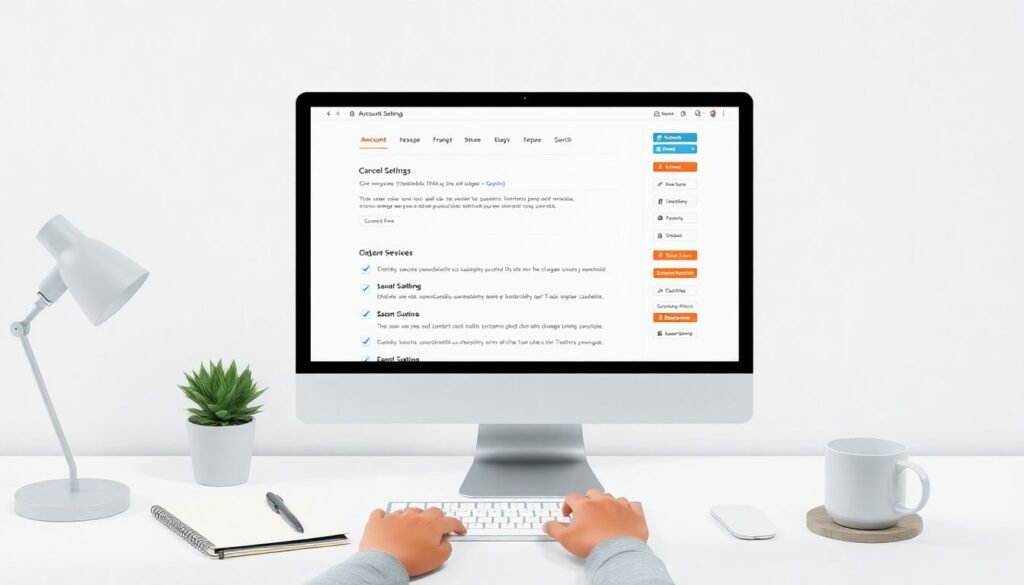
When you’ve marked latent services, it’s time to cancel unwanted subscriptions online in a systematic, low‑stress way. Start with anything you haven’t used in 60 days. Log in from a desktop browser, not mobile apps—desktop UIs usually expose full account settings. Search for “billing”, “subscription”, or “manage plan”. Record each cancellation event in your ledger with timestamp and confirmation code or email. For stubborn services using dark‑pattern interfaces, switch tactics: use privacy regulations in your region. Request data deletion or account closure; this often forces cancellation as a side effect. If your bank allows it, you can also block merchants directly, but do that only when the provider is clearly non‑cooperative.
Rookie mistake: cancelling the app on your phone and assuming that stops billing. Deleting an app does nothing to the underlying payment agreement if it was set up through the App Store, Google Play, or a card on file. Always cancel at the source: store subscription page, payment provider, or web account. Double‑check by looking for a “next billing date: none” or “expires on” field instead of just trusting a vague success message.
Step 5. Use Non‑Obvious Ways to Reduce Monthly Membership Costs
There are straightforward ways to reduce monthly membership costs, like annual billing discounts, but let’s go further. Consider demand‑based usage patterns. For gyms, co‑working spaces, or professional associations, many providers quietly offer “off‑peak” or “limited access” tiers that aren’t on the main pricing page but appear when you start the cancellation flow. Another unconventional tactic is “subscription pooling”: coordinate with friends or colleagues to rotate one or two premium tools each quarter instead of everyone staying subscribed year‑round. For example, you batch all design tasks into a specific month with a shared tool, then pause it for the rest of the year, distributing access via shared assets rather than logins.
Be cautious with sharing credentials directly; it may violate terms of service and create security issues. A cleaner pattern is sharing outputs, not accounts: exported files, shared workspaces, or scheduled screen‑sharing sessions where one subscriber operates the tool. Always model the risk: if the account holds sensitive data or payment details, never circulate logins, even among people you trust.
Step 6. Exploit Subscription Discount Deals and Promo Codes Strategically
Random coupon‑hunting wastes time, but structured use of subscription discount deals and promo codes can materially cut costs. Instead of googling every time, maintain a small playbook: check your card issuer’s offers, corporate perks portal, student or alumni benefits, and trusted aggregator sites. Then leverage lifecycle moments: initiate cancellation and watch for “win‑back” offers such as “three months at 50% off”, which are effectively targeted promo codes. If you anticipate heavy short‑term usage—a project sprint, exam preparation, or moving period—time your re‑subscription to coincide with these deals, then diarise the end date and cancel before the price reverts.
Beginners sometimes stack discounts in ways that backfire, like switching from a flexible monthly plan to a discounted annual one just to use a coupon, then barely using the service afterwards. A disciplined rule: never lock into an annual plan until you’ve used the service consistently for at least three consecutive months. Discounts are beneficial only when they apply to something you would actually pay for at full price.
Step 7. Replace Recurring Fees with “Burst” Purchases and Open‑Source Tools
One unconventional method to save is to convert recurring obligations into periodic “burst” costs. Instead of staying permanently subscribed to a note‑taking app, pay for a single month once or twice a year, export all data in open formats, and store it in local or cloud storage you already pay for. Similarly, instead of multiple niche SaaS tools, evaluate whether one‑time‑purchase desktop software or open‑source alternatives cover 80% of your needs. You sacrifice some continuous convenience, but you reclaim predictable, lower total cost of ownership. This strategy is effective for tools with strong offline capabilities where you don’t need ongoing server‑side features or real‑time collaboration.
The trap here is underestimating migration overhead. Moving data every few months can become a hidden time cost that outweighs the financial gain. Prototype this approach with a single, low‑risk service first. Measure the time you spend exporting, cleaning, and re‑importing data. If it exceeds what you value your hour at, adjust the cadence or revert to a continuous subscription for that category.
Step 8. Automate Guard Rails: Free‑Trial Sandboxes and Card Segmentation
To avoid trial‑to‑paid “surprises”, build a sandbox. Use a dedicated virtual card or low‑limit debit card exclusively for trials. Set its limit near zero and disable automatic top‑ups. Every time you sign up for something new, you must consciously raise the limit, which creates a friction checkpoint. Combine this with auto‑generated email aliases tagged by service name so you can quickly see which providers leak marketing to you and identify dormant accounts. Over time you create a parallel, easily disposable identity purely for experimental services, while your main cards stay attached only to proven, long‑term tools.
Newcomers often worry that virtual cards are “less safe” than their primary card for recurring billing, but in practice, compartmentalisation reduces blast radius if a provider is breached or behaves badly. The only caveat: if a mission‑critical service relies on that sandbox card and the card expires or hits its limit, you might experience service disruption. Reserve the sandbox strictly for non‑critical, exploratory subscriptions.
Step 9. Periodic “Zero‑Base” Review: Justify Every Ongoing Charge
Once or twice a year, run a zero‑base review: assume every subscription is cancelled tomorrow, and you must re‑argue why it deserves to be turned back on. This removes default bias. For each service, answer three functional questions: What exact job does it do? Is there a low‑friction free or cheaper alternative now? If I cancelled it today, what concrete negative event would occur this month? Many tools made sense in a previous phase of your life or career but persist purely because renewals are silent. Zero‑base logic aligns your stack with your current reality instead of your past assumptions.
Try not to do this review while emotionally charged—after a big bill or during tax season you might over‑optimize and cut things that actually support your well‑being or productivity. Schedule it at a neutral moment, maybe tied to your birthday or the beginning of a quarter, and keep notes about why you kept or cut each service so future you can audit the reasoning.
Step 10. Build a Personal Policy for New Subscriptions
All of this work is wasted if new subscriptions flow in without discipline. Draft a simple policy for yourself: for any new service, specify a clear success metric before paying (e.g., “saves 3 hours a month” or “lets me replace two other tools”), set a trial review date in your calendar, and cap the total number of active subscriptions per category (such as “no more than two entertainment platforms at once”). When your cap is reached, any new signup must replace an existing one. This capacity constraint forces prioritisation and keeps subscription creep under control even as tempting new offers appear.
To operationalise the policy, document it somewhere visible—note app, whiteboard, or even pinned in your browser’s start page. Over time you’ll make fewer impulsive commitments, rely more on your core stack, and let best subscription management apps handle detection while you handle strategy. Combined, these smart processes keep your digital life functional without letting recurring charges silently drain your finances.